Npv Tunnel V2ray/SSH
- 4.5
- Rating
- 10.00M
- Installs
- Free
- Price

 Analysis by App-foxy
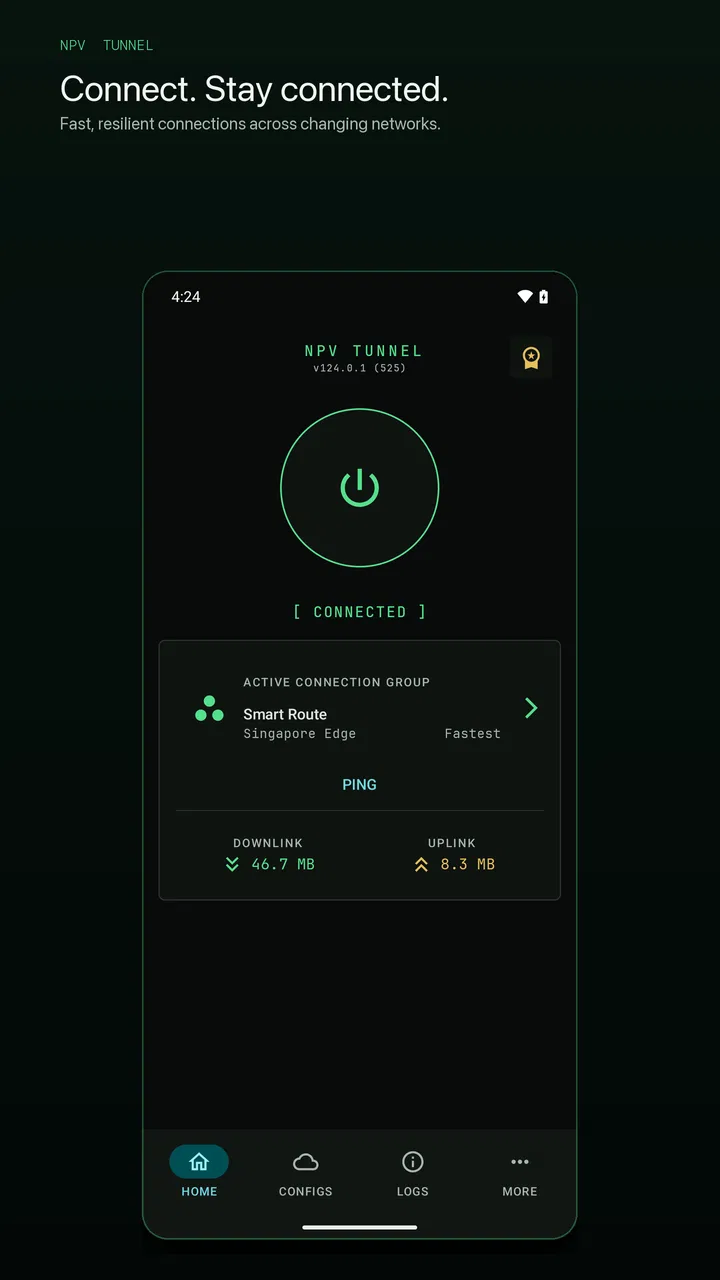
At first glance, Npv Tunnel V2ray/SSH looks like a practical tool for people who need more control over a VPN connection than a typical one-tap service provides. I spent time treating it as an everyday utility rather than a novelty: opening it when a network felt unreliable, checking how much setup it demanded, and considering whether I would still want it installed after the initial curiosity wore off. My impression is mixed in a useful way. It can be valuable for technically confident users who already understand V2Ray or SSH configurations, but it is not the kind of VPN app I would hand to someone who simply wants to press a button and forget about networking.
The app is free to install, belongs to the Tools category, and is made by Vonmatrix Co. Ltd. Its store summary presents it as a V2ray and SSH VPN client, which tells you more about its intended audience than the short name alone. It is available for Everyone and works on Android devices running version 6.0 or later. That broad compatibility helps, especially if you keep an older phone, but the real question is not whether the app can be installed. The real question is whether its more hands-on approach fits the way you use a VPN.
What feels useful during the first week
During the first week, the strongest appeal is the sense that the connection is not hidden behind a simplified consumer interface. Npv Tunnel is aimed at users who may need to work with V2Ray and SSH details, select a particular configuration, or use a connection method that ordinary VPN applications do not expose. That flexibility is its main reason to exist. If you already receive connection details from a trusted source, the app can serve as a focused place to manage that setup instead of forcing you into a completely different service model.
You May Also Like

 Blood Strike: 2.5 Anniversary
Blood Strike’s Loadouts Turn Every Drop Into a Tactical Gamble
A close look at Blood Strike’s custom loadouts: how fast access to signature weapons reshapes its battle royale rhythm, rewards preparation, and narrows the gap between fights.

 Pandora - Music & Podcasts
Pandora’s Music Is Easy to Start, but Harder to Recover
Pandora’s strength is its low-effort path from a seed to a station. Its weak spot is how much confidence it asks you to place in connection, setup, and quiet recovery.

 8 Ball Pool
 Is Built on Rivalries, Rematches, and Routine
A close look at the rivalries, rematches, shared routines, and unanswered safety questions that turn a quick pool match into a persistent mobile community.

 Samsung Music
’s Quiet Strength Is Playing What You Already Own
Its reach comes less from spectacle than from dependable access to a personal library. That simplicity is both the app’s strongest retention engine and its ceiling.

 AccuWeather: Weather Radar
AccuWeather Review: A Quick, Clear Forecast for Everyday Decisions
For everyday plans, the best forecast is the one you can understand quickly. AccuWeather makes rain timing, radar, and local conditions easy to act on, with a few trade-offs.

 Hill Climb Racing
Why Hill Climb Racing Still Turns Crashes Into One More Run
A tiny car, a bumpy hill and one more upgrade: Hill Climb Racing keeps resurfacing because its simple chaos makes every near-miss feel personal.
More From Our News Desk



I would describe the learning curve as moderate to steep, depending on your background. Someone familiar with server addresses, ports, keys, or V2Ray-style profiles will understand the purpose of the controls much faster than a newcomer. A first-time VPN user may see a collection of technical choices without knowing which value belongs where. The app is therefore more attractive to people who want control than to people who want explanation. Before installing it, I would make sure I already knew where my configuration comes from and what each part is supposed to do.
That distinction matters because the application is a client, not a magic source of reliable access. Installing it does not automatically give you a useful server or guarantee that every network will work. You still need a valid configuration and a connection that is suitable for your situation. This is the first non-obvious trade-off: the app may be free, but the practical cost can be your time spent understanding, testing, and maintaining the setup around it. For an experienced user, that time buys flexibility. For everyone else, it can feel like unnecessary friction.
One everyday scenario shows where it makes sense. Imagine I travel with an older Android phone and regularly move between a home router, public Wi-Fi, and a mobile connection. I may keep separate connection profiles for different situations rather than changing the entire device setup each time. In that case, a dedicated V2Ray and SSH client can be convenient because it keeps the networking workflow in one tool. I can choose the profile that matches the connection I am using instead of treating every network problem as a reason to install another app.
That convenience is not the same as simplicity. I would not recommend relying on an unfamiliar configuration while doing something time-sensitive, such as joining an important video call or accessing an account that cannot tolerate interruptions. The sensible first-week routine is to test one profile at a time, confirm that ordinary browsing works, and then try the services you actually use. A connection that appears active is not automatically a connection that behaves well for every app. Testing in your own routine is more useful than assuming the status indicator tells the whole story.
The app’s current version is 123.1, and its popularity is substantial, with more than ten million installs. It also holds a 4.5 average from roughly thirty-three thousand ratings, alongside about one thousand seven hundred reviews. Those figures suggest that it has reached a large audience, but they do not remove the need to judge your own technical comfort. A widely installed tool can still be the wrong choice if its workflow does not match your expectations.
Where the first-week learning curve pays off
The best early benefit is repeatability. Once I understand how a particular configuration is organized, I do not have to rediscover the same process every time I need it. That is more valuable than a flashy interface feature because VPN tools are often used under mildly stressful conditions: a network is slow, a service is unreachable, or I need to switch connections quickly. A familiar profile and a familiar sequence of checks can save more time than a long list of advanced options that I never use.
Another useful habit is to keep a small personal record of which configuration works on which network. I would note the profile name, the situation where I used it, and whether the result was stable enough for browsing, messaging, or heavier activity. This is not a feature I am claiming the app provides; it is a workflow that makes a technical client easier to live with. Without that discipline, it is easy to blame the application for a problem caused by an expired, overloaded, or incorrectly entered configuration.
The app can also be a better fit than a standard VPN when the user needs V2Ray or SSH specifically. Conventional VPN services usually emphasize a server list, a large connect button, and a subscription relationship. Npv Tunnel approaches the problem from the client side. That makes it less polished for casual use, but potentially more suitable when the user already has a configuration and wants a tool that works with that technical arrangement.
Why the value may continue after the novelty fades
After the first month, the question changes from “Can I make this connect?” to “Does it still earn space on my phone?” For me, the answer depends on frequency. If I regularly switch between known configurations or need V2Ray and SSH support, the app can become a quiet utility that I open only when necessary. That is a good sign for a tool: it does not need to entertain me, it just needs to remain dependable enough for the task I installed it to handle.
Its recurring value comes from specialization. A general VPN app may be easier to start with, but it may not suit someone who needs a particular protocol or a manually managed connection. Npv Tunnel is more relevant when the technical setup is already part of the user’s routine. In that context, the app can replace a scattered process involving separate notes, repeated configuration entry, and trial-and-error with other clients. The payoff is not a novelty effect; it is having one familiar client available when the same networking need returns.
There is also a practical advantage in not confusing a VPN client with a VPN provider. With many ordinary services, the application and the server access are presented as one package. Here, the client-oriented design makes the separation clearer. I have to think about where the configuration comes from, whether I trust it, and whether it remains usable. That extra responsibility is inconvenient, but it can also make me more aware of what I am actually using rather than assuming that a connected label means the entire arrangement is automatically trustworthy.
For month-to-month use, I would divide activities into three groups. First are low-risk checks such as opening a few websites or testing a messaging connection. Second are ordinary daily tasks where stability matters, such as browsing or using work tools. Third are sensitive activities involving accounts, payments, or private information. I would not treat a successful test in the first group as proof that the configuration is appropriate for the third. The app can provide the client function, but judgment about the source and suitability of the connection remains with me.
One of the more useful long-term habits is to remove profiles that are no longer relevant instead of allowing a growing collection to become a confusing archive. A crowded list makes it harder to identify the profile I actually trust. I would keep clear names based on purpose or location, avoid creating duplicates, and re-test a profile after a long gap before depending on it. This small amount of organization is especially important in a technical client, where the problem may not be the application but a stale configuration that has been left untouched.
The free price makes this experiment easy to justify, although in-app purchases are listed at $2.99 per item. I would not decide based only on the possibility of paid extras. The more important cost is whether the app reduces or increases the time I spend troubleshooting. If I use V2Ray or SSH regularly, that calculation may favor keeping it. If I only need a VPN once in a while and do not want to manage configurations, a straightforward provider app may be the better value even if its business model is different.
Maintenance is part of the product experience
The maintenance burden is where Npv Tunnel becomes less attractive for casual users. A specialized client can remain installed for months, but its usefulness depends on the configurations around it staying valid and understandable. I would expect to revisit profiles, check whether a connection still behaves as before, and troubleshoot changes caused by the network I am using. None of this means the app is poor; it means the app belongs to a category where the user is part of the support process.
When a connection fails, I would avoid immediately reinstalling the application. A better sequence is to check whether the same profile fails on another network, try a different known configuration, and confirm that the problem is not limited to one destination or service. This approach helps separate an app issue from a server issue, an input mistake, or a network restriction. It is a concrete advantage of learning the workflow: troubleshooting becomes a series of comparisons instead of random tapping.
Older Android compatibility is another practical strength. Because the minimum operating system is Android 6.0, people keeping an older device have a chance to use the client without upgrading hardware first. Still, compatibility does not promise identical behavior across every phone. Battery management, background restrictions, and manufacturer-specific settings can affect any VPN client. If a connection stops when the screen turns off, I would inspect the phone’s battery and background controls before deciding that the app itself is unusable.
Updates matter for a tool that handles networking, but updating should be treated as part of a routine rather than an event to ignore. Before changing anything important, I would make sure I know how to recreate my configuration and remember which profile was working. That is another trade-off between this app and a consumer VPN: a simple service may hide more of the maintenance, while a client like this rewards users who keep their own setup organized.
What can cause fatigue over time
The main source of fatigue is the repeated need to think technically when I only want connectivity. A conventional VPN application is usually designed around a clear promise: choose a location, tap connect, and continue. Npv Tunnel is better suited to a user who accepts that the connection may require configuration, testing, and occasional diagnosis. If I find myself opening the app only to guess which profile might work, the flexibility has stopped being useful and has become a chore.
Another frustration is that success can be inconsistent across networks. A profile that works on home Wi-Fi may behave differently on mobile data or public Wi-Fi. That is not necessarily an application defect, but it affects how the app feels in daily life. I would be cautious about judging it from one successful setup or one failed attempt. The right question is whether it gives me a manageable way to handle the networks I actually use, not whether it eliminates every networking variable.
The app is also not the right choice for someone who wants a broad privacy service with extensive guidance, a polished server-selection experience, or a support relationship that explains every setting. Its value is narrower. Users who need a simple interface, automatic selection, or a fully packaged service may be happier with a mainstream VPN alternative. Choosing a specialized client because it sounds more advanced can create needless work if the underlying requirement is simply easy, predictable access.
Privacy expectations deserve careful thought as well. A client can manage a tunnel, but that does not automatically tell me who operates the server behind a configuration or how that server is handled. I would only use profiles from sources I trust and would avoid treating the app’s technical appearance as a substitute for evaluating the connection provider. This is one of the most important distinctions between installing a tool and making a security decision.
There is a smaller but persistent kind of fatigue too: remembering which setup is appropriate for which purpose. If I use several profiles, I need names that make sense and a habit of removing old ones. If I use only one reliable profile, the app becomes much easier to live with. In other words, the long-term experience is shaped less by the number of available options than by how well I control them. More flexibility is helpful only when it remains understandable.
The age rating of Everyone makes the app broadly accessible from a store perspective, but I would still be selective about who I ask to manage it. A younger or inexperienced user may be able to install it, yet still lack the context needed to evaluate configurations and connection sources. Accessibility should not be confused with simplicity. I would recommend it to a technically curious adult or an experienced Android user, not merely because the store age label is broad.
Who should keep it installed
I would keep Npv Tunnel on my phone if I had a recurring need for V2Ray or SSH connections, already understood the basics of configuration management, and valued having a free client available for an older Android device. It is particularly sensible for users who switch between a small number of trusted profiles and are willing to test them when network conditions change. In that situation, the app has a clear job and can become part of a stable routine.
I would skip it if I wanted a VPN mainly for convenience, had no idea where a V2Ray or SSH configuration would come from, or disliked troubleshooting. I would also look elsewhere if my priority were a large, simple location picker with minimal decisions. The usual alternative is easier precisely because it removes much of the technical responsibility. That can be worth paying for, especially when reliability and support matter more than protocol-level control.
For someone deciding between this app and a standard VPN, I would ask one direct question: do you want to manage the connection, or do you want the connection service to manage it for you? If the answer is the former, Npv Tunnel deserves a trial. If the answer is the latter, its technical orientation will probably feel like a step backward. That decision is more important than the high install count or the strong average rating.
My long-term verdict
Npv Tunnel earns lasting space only when its specialized workflow solves a recurring problem. I like that it is focused on V2Ray and SSH rather than pretending every VPN user wants the same simplified experience. The free entry point, support for older Android versions, and broad adoption make it easy to test. Its strongest quality is not excitement but usefulness: once a trusted configuration is working, the app can be a practical part of a repeatable routine.
At the same time, I would not call it a universal recommendation. The maintenance is real, the setup can be intimidating, and the responsibility for judging configurations does not disappear after installation. A generic VPN service is a better choice for people who want a guided experience with fewer decisions. Npv Tunnel is better for people who understand why they need V2Ray or SSH and are prepared to spend a little time keeping the arrangement clear.
My final advice is to test it patiently rather than judging it after one tap. Start with one trusted configuration, try it on the networks you use most, and record what works before adding more complexity. If that process produces a dependable tool you return to every month, the app has earned its place. If it leaves you repeatedly guessing, switching profiles without understanding the results, or worrying about the source of the connection, uninstalling it is not a failure; it is a sign that a simpler alternative matches your habits better.
In short, I see Npv Tunnel as a capable specialist rather than an effortless everyday VPN. It rewards preparation, clear naming, careful testing, and realistic expectations. For the right user, that combination can remain useful long after the first-week curiosity disappears. For everyone else, the same technical control that attracts advanced users may be the reason it never becomes a comfortable part of daily life.
FAQs for Npv Tunnel V2ray/SSH
01What is Npv Tunnel V2ray/SSH used for?
Npv Tunnel V2ray/SSH is designed to enhance internet privacy and security by allowing users to create secure tunnels through which data is sent and received. It uses V2ray and SSH protocols to encrypt your internet traffic, making it an excellent choice for bypassing geo-restrictions and protecting sensitive information online.
02Is Npv Tunnel V2ray/SSH easy to set up?
Yes, Npv Tunnel V2ray/SSH is user-friendly and provides a straightforward setup process. The app includes a step-by-step guide that helps users configure their connection quickly. It also offers pre-configured profiles for beginners, making it accessible to users with minimal technical knowledge.
03What platforms does Npv Tunnel V2ray/SSH support?
Npv Tunnel V2ray/SSH is available for both Android and iOS devices. This cross-platform availability ensures that users can protect their internet activity on a wide range of smartphones and tablets, enhancing versatility and convenience for those who use multiple devices.
04Are there any subscription fees for Npv Tunnel V2ray/SSH?
The app offers both free and premium versions. While the free version provides basic features, the premium version unlocks additional server locations, faster speeds, and enhanced security options. Users can choose a subscription plan that best suits their needs and budget, with various payment options available.
05How does Npv Tunnel V2ray/SSH ensure my data is secure?
Npv Tunnel V2ray/SSH uses advanced encryption protocols such as V2ray and SSH to secure your data. This means all your internet traffic is encrypted, making it extremely difficult for hackers or third parties to intercept or access your personal information, ensuring a safe browsing experience.
Pros
- Fast and stable connection speeds.
- User-friendly interface design.
- Supports multiple protocols.
- Customizable settings available.
- Regular updates and improvements.
Cons
- Can be complex for beginners.
- Occasional connectivity drops.
- Limited server locations.
- Ads in the free version.
- Requires manual configuration.

Npv Tunnel V2ray/SSH
Gallery